




Built for real customer pain
Manual timers fail when you juggle multiple clients. DayReplay is for people who lose money to missed logs and fragmented context.

DayReplay helps freelancers and developers recover billable history from real activity data — so end-of-day and end-of-week review feels clear, fast, and defensible.
On a Mac? Read the macOS guide →
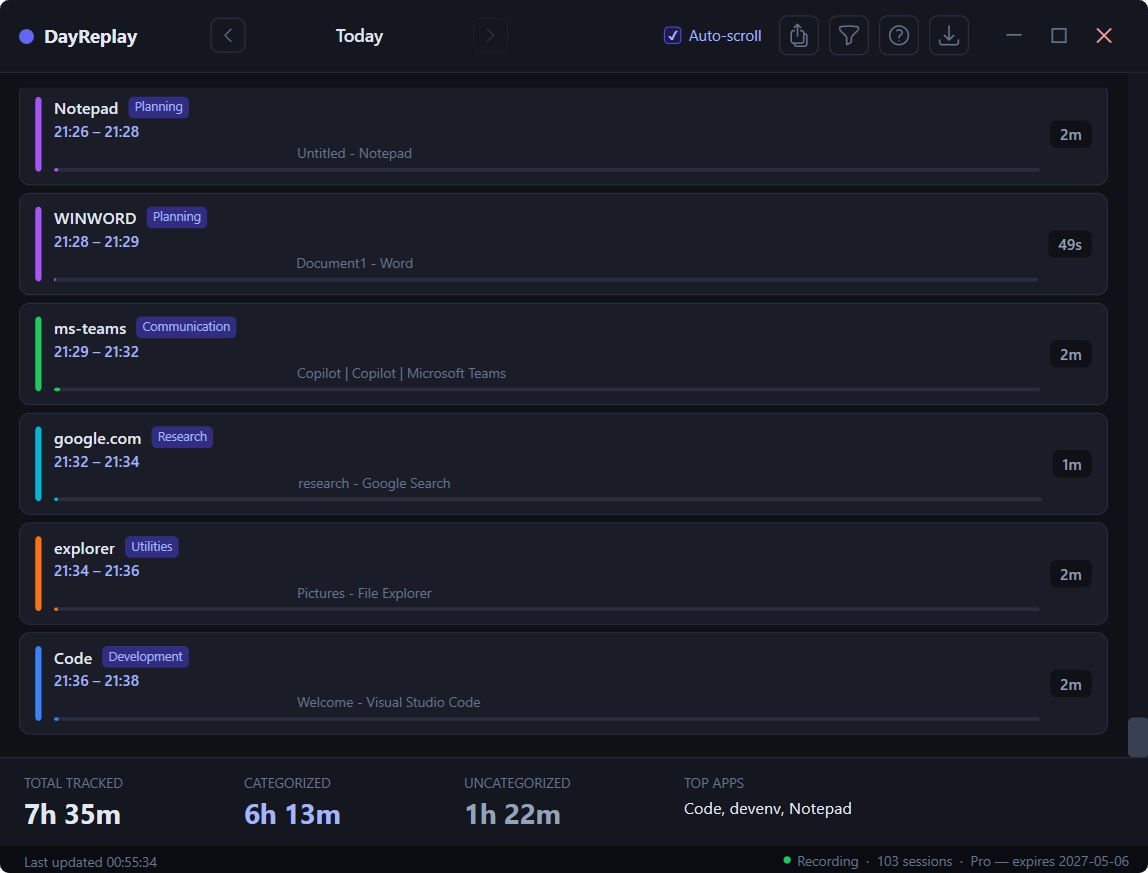
Manual timers fail when you juggle multiple clients. DayReplay is for people who lose money to missed logs and fragmented context.
Timeline data is local-first. No screenshots. No keylogging. Review exactly what is captured in the security details.
Your Pro key lives in an encrypted blob bound to your Windows user profile (Data Protection API, CurrentUser scope). Another user on the same machine — even an admin — cannot decrypt it. No account to create, no cloud session.
Detected categories cover the common cases out of the box; on Pro, you can add or modify the domain and process rules to match how your work is organised. See the rules guide →
%LocalAppData%\Programs\DayReplay\ and registers as auto-start so it launches at every login.Learn more: How it works · Windows install & SmartScreen FAQ · Verify your download · Security & privacy.
The MSI is Authenticode-signed by Zaahr Inc. via Azure Trusted Signing, but Microsoft Defender SmartScreen still warns on newly-signed software until reputation builds. Click More info → Run anyway. The install itself is per-user and does NOT prompt for admin / UAC. See the FAQ for the full explanation and the verification steps (Authenticode, SHA-256, VirusTotal). If you'd rather skip the warning entirely, the Microsoft Store button avoids SmartScreen altogether — note that the Store-distributed build is feature-reduced (no in-app Pro upgrade, no in-app updater) per Microsoft Store policy.
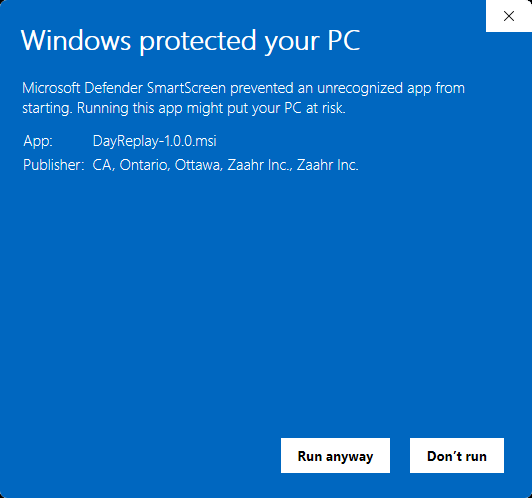
.msi download (not the Store install). Click More info, then Run anyway — the publisher shows as Zaahr Inc.DayReplay runs in the background and surfaces via the system tray (bottom-right of the taskbar, near the clock — you may need to click the up-chevron to show hidden icons). Click the tray icon to open the timeline window, or right-click for Show / Quit. The app also appears in the Start menu under DayReplay.

Standard Windows uninstall via Settings, no Terminal or admin prompt required:
%LocalAppData%\Programs\DayReplay\ and the HKCU\Run auto-start entry.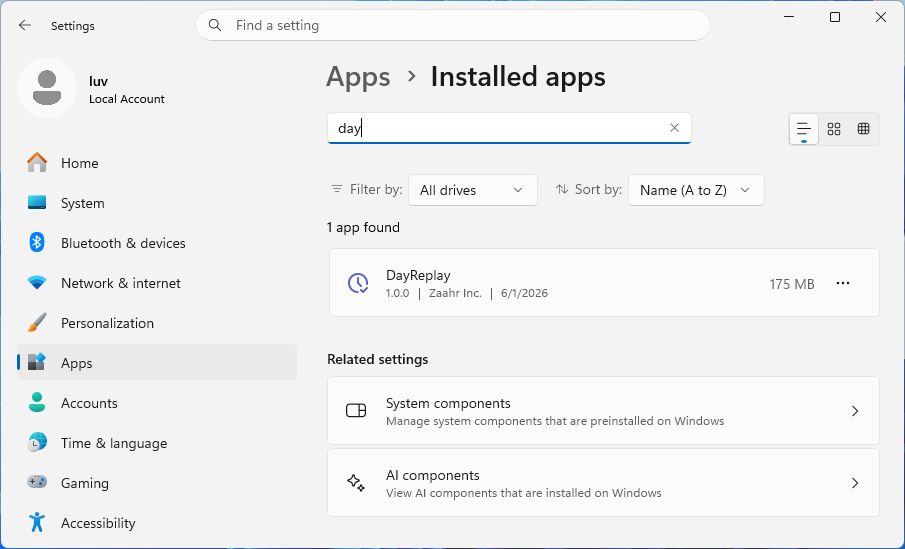
Your data is preserved by default. The captured activity database at %AppData%\DayReplay\dayreplay.db and your encrypted Pro license are not removed by the uninstaller — an accidental uninstall doesn't wipe your history. To fully wipe everything after uninstall, delete the %AppData%\DayReplay\ folder manually.
If you manage multiple clients, your day is fragmented by design. You move between Slack, docs, tickets, PRs, browser tabs, and calls. By evening, your timer log looks wrong or incomplete.
That is not a discipline issue. It is a workflow mismatch. Manual timers assume long uninterrupted blocks. Real work is frequent context switching.
DayReplay is built for this exact gap: reconstruct what actually happened, then review it quickly.
Many tools stop at app names. They tell you "Chrome for 3h 48m" which is too broad for invoicing and retrospectives.
To be useful, tracking needs context:
With URL and tab context, the timeline becomes actionable.
Privacy-first only matters if it is explicit. DayReplay's approach is straightforward:
You keep visibility into your work without surveillance-style capture.
DayReplay is not trying to serve everyone. It is intentionally focused on:
A practical first week looks like this:
The goal is not perfect minute-level accounting. The goal is reliable, decision-ready history.
Free includes today's replay (1-day history) with granular detected categories, read-only access to the built-in category rules, and the diagnostics panel — so users can verify value quickly. Pro unlocks 30-day history, day navigation (← →), CSV export, custom categories & colours, and editable category rules at $7/month (or $59/year). The same license activates on both Windows and macOS.
This gives users enough time to build habit with full visibility first, then unlock tailored classification and deeper review when they need trend and invoice reporting.
%LocalAppData%\Programs\DayReplay\ with no admin elevation; uninstall via Settings → Apps without affecting other users.DayReplay reads the active browser tab's URL and other open tab titles via Windows UI Automation. Fully supported browsers:
Clear constraints build trust better than vague promises.
At the end of the week, you should be able to answer:
That is DayReplay's job: help you move from fuzzy memory to accurate decisions.
Free includes today's replay (1-day history), the granular detected categories, read-only access to the built-in category rules, and the diagnostics panel. Pro adds 30-day history, day navigation (← →), custom categories & colours, editable category rules, and CSV export — at $7/month or $59/year.